
After You Win an Auction
Congratulations on winning! Here's how to complete your purchase, arrange delivery, and track your order.
Step 1: You've Won - What's Next?
When you win an auction, you'll receive:
- A notification in the site header (bell icon)
- A confirmation email
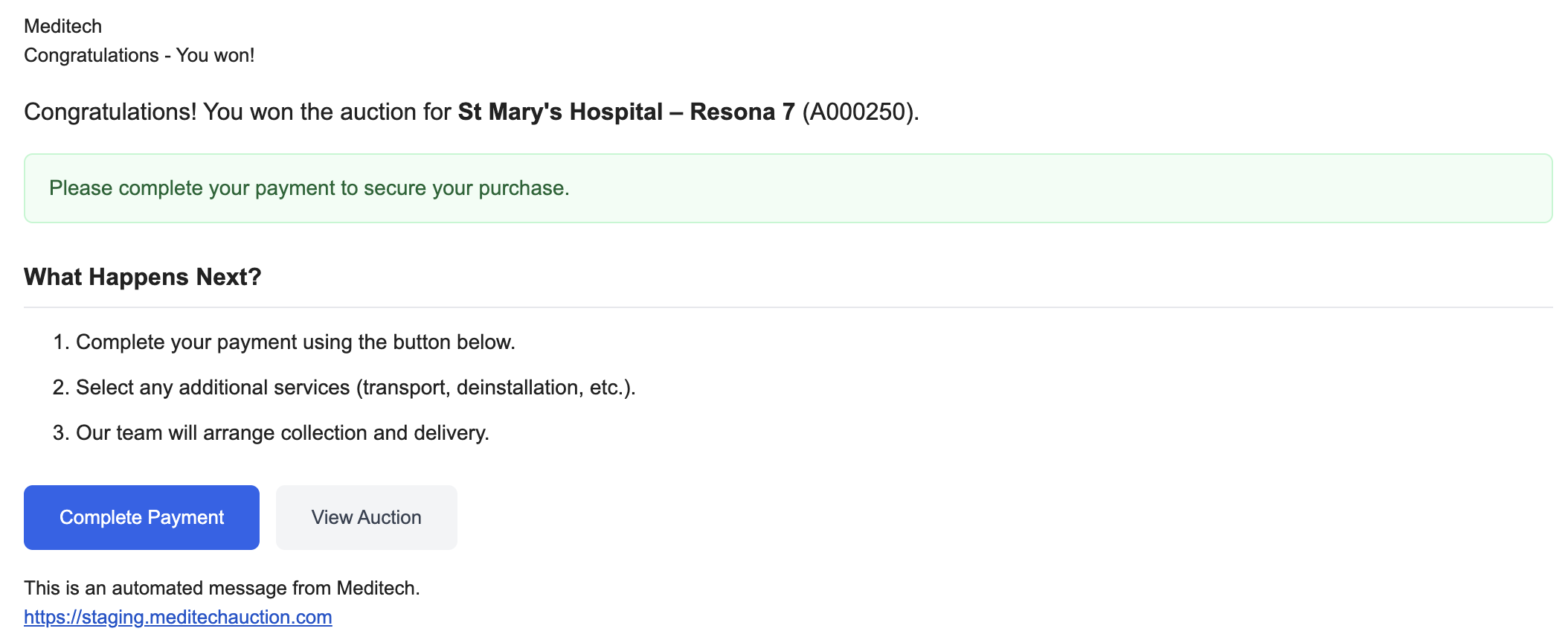
Click the notification or email link to go to Auction Fulfilments.
Step 2: Go to Auction Fulfilments
- In the left menu, click Buying > Auction Fulfilments
- Your won item appears under "Awaiting Payment"
- Find the item and click "Pay Now" in the Actions column
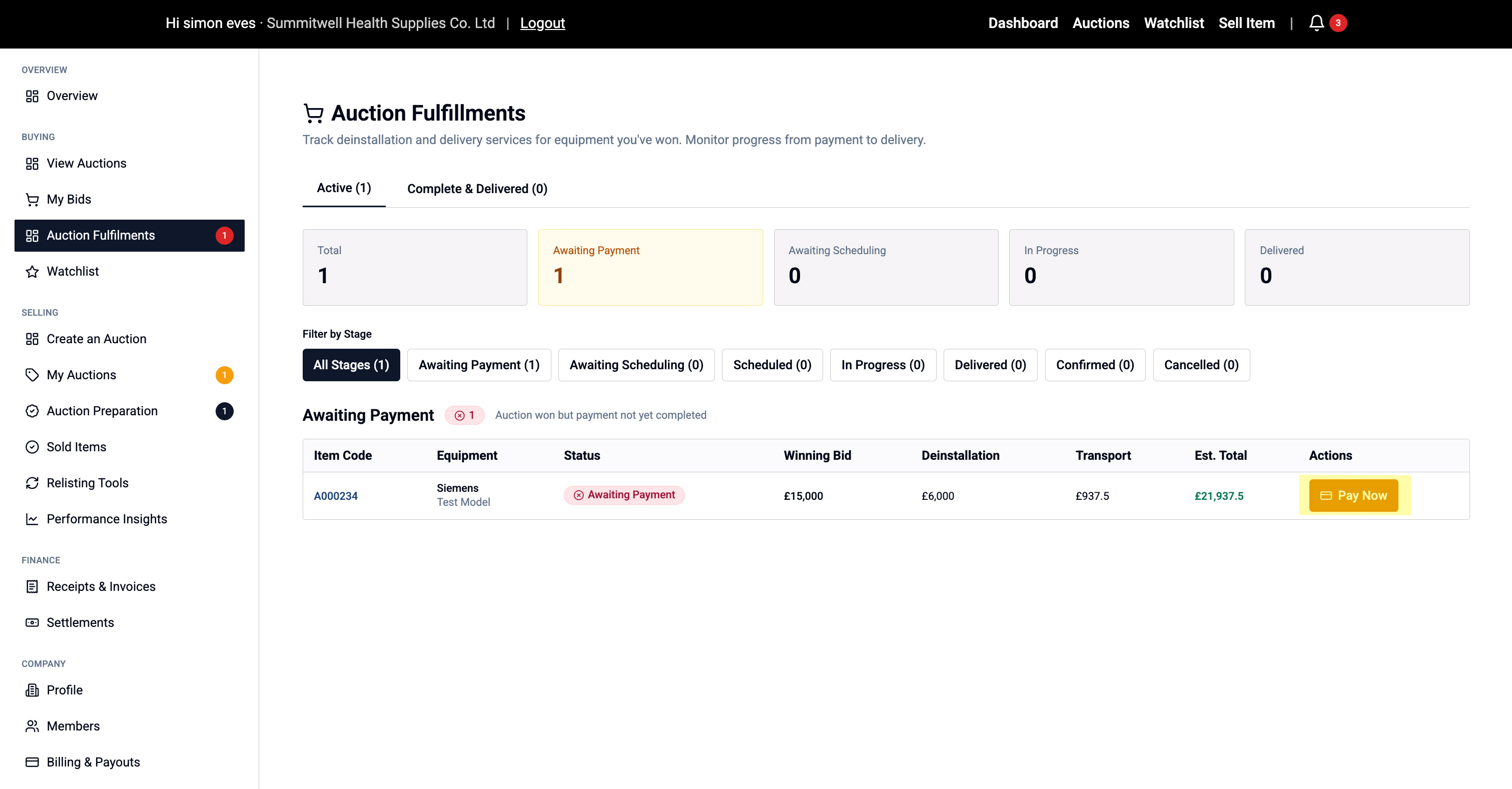
This opens the Complete Purchase checkout flow.
Step 3: Delivery Date and Address
We have 3 available options for delivery available which are design as follows
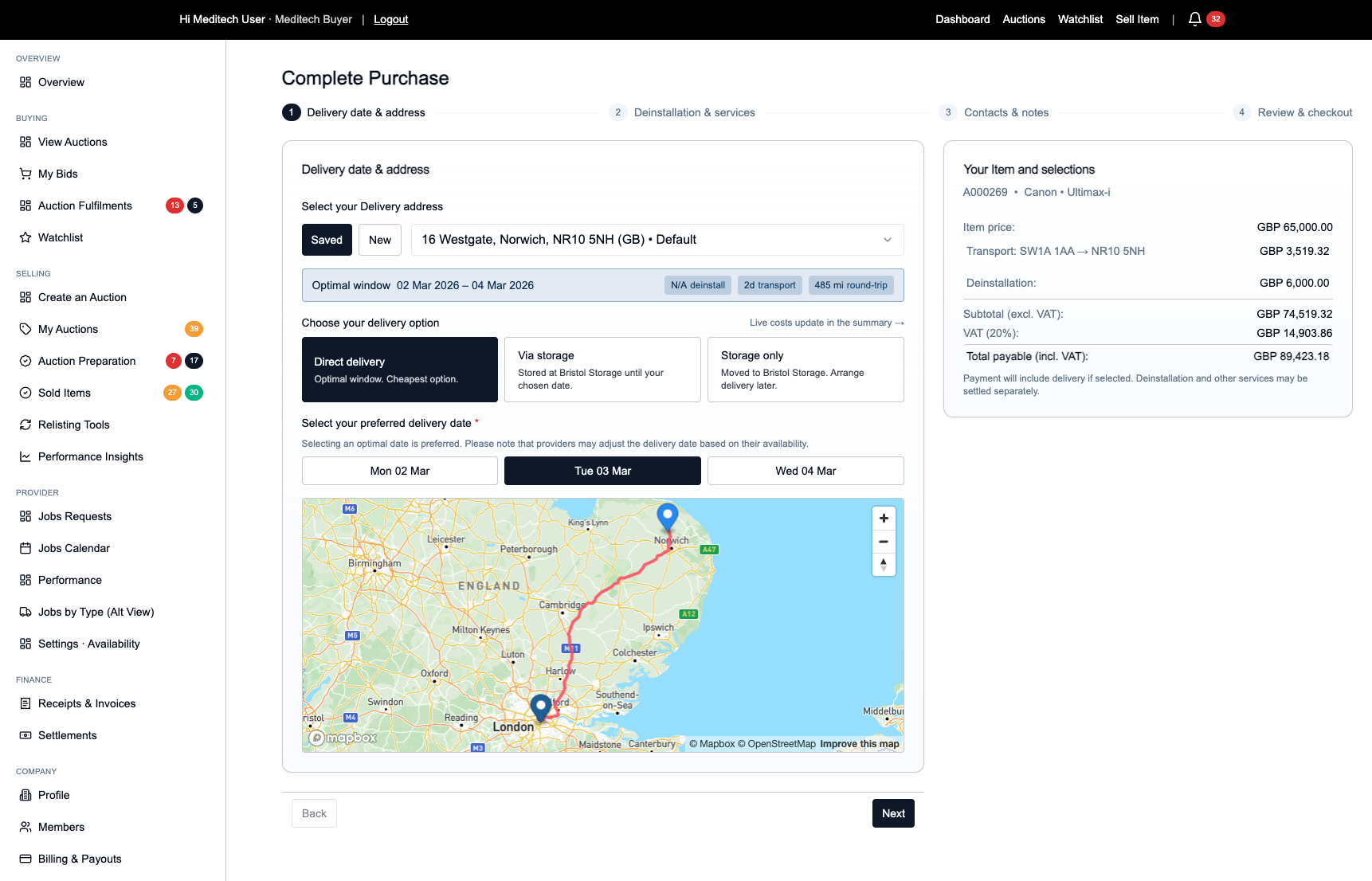
- Direct Delivery - This is the optimal delivery option
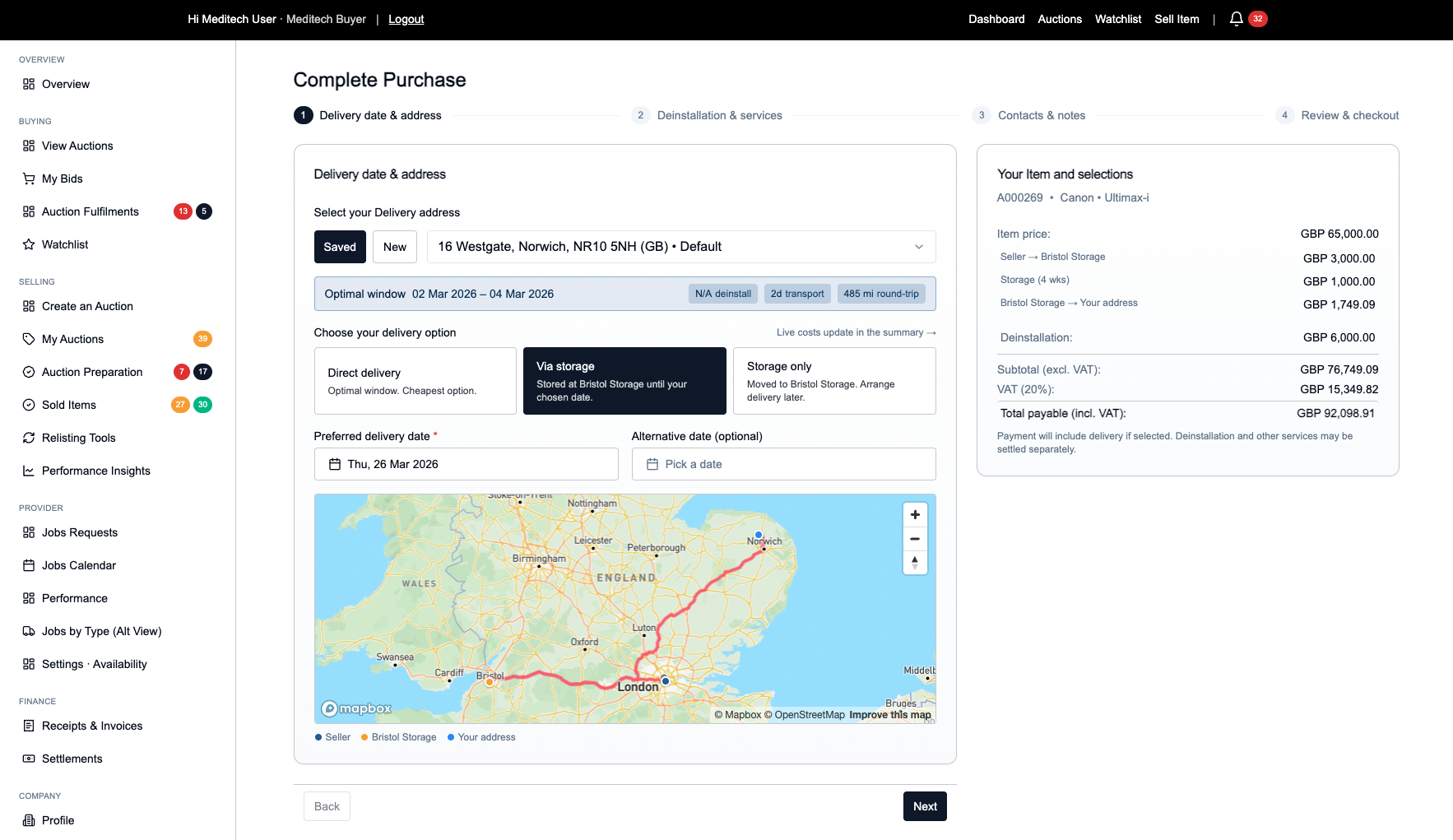
- Via Storage - This is designed for when an optimal date is not possible
- Storage Only - For items that require storage
If you delivery address is outside the UK then the Storage only option will be selected by default. Our team will be in touch to provide additional options for the forward delivery of an item outside of the UK.
Direct Delivery (Optimal)
We provide a optimal delivery window for the most efficient delivery rout based around availablilty and timeframes.
Via Storage (Alternate)
This method of delivery is available where the optimal dates are not suitable for the fulfilment of your item. These date will include a storage phase between journeys which are added based on the preferred delivery date.
Storage Only
This option should be used if a final destination is uknown and you wish to hols the item in storage
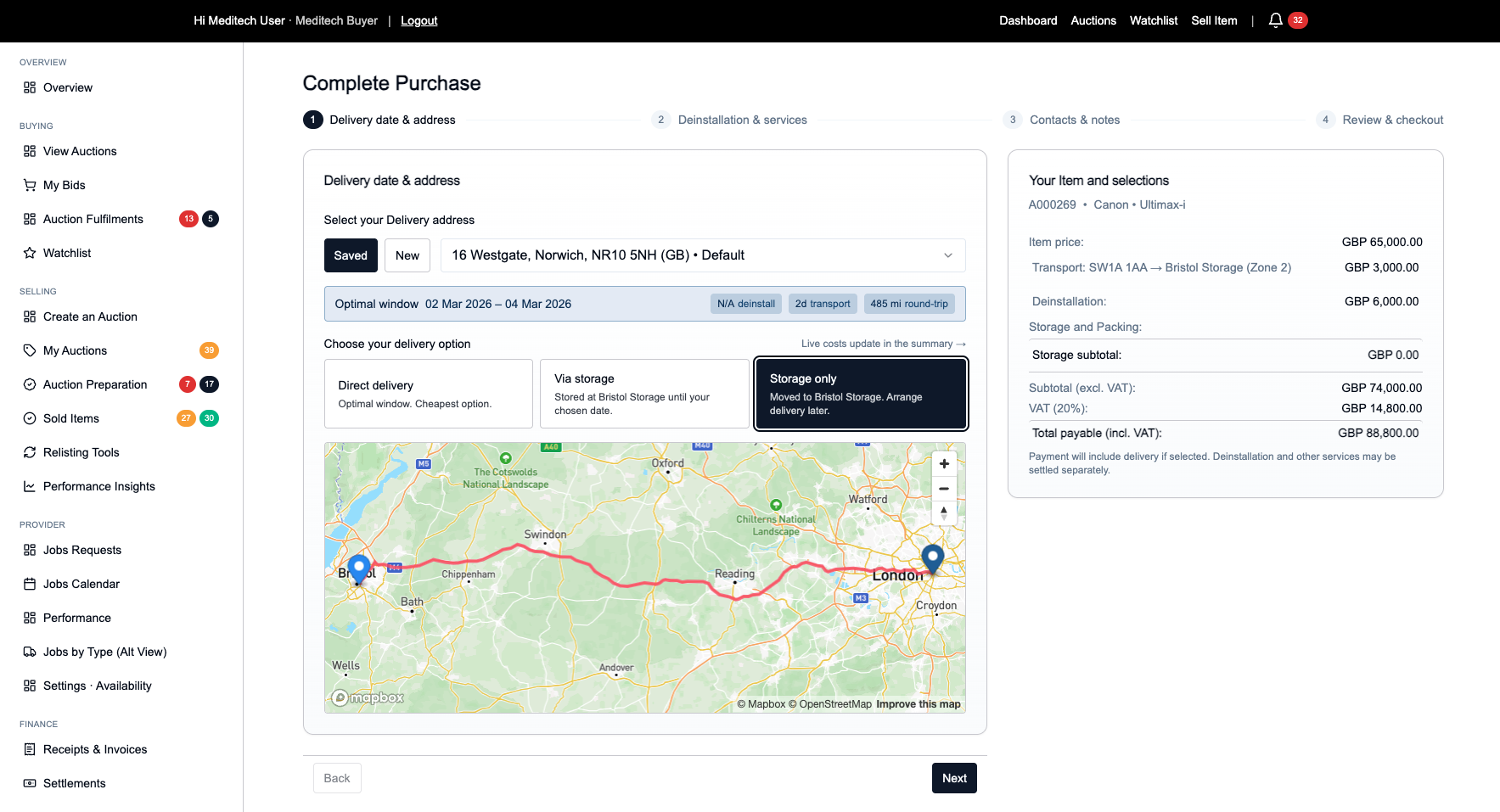
Once you have chosen and option, you can always return back to this step before checking out if you change your mind.
Click "Next" to continue.
Step 4: Choose Delivery or Storage
You have two options:
Option A: Deliver to My Location
- Equipment delivered directly to your address
- Select a saved delivery address or add a new one
- Delivery cost calculated based on distance and equipment
Option B: Transport to Bristol Storage
- Equipment moved to secure storage facility
- Choose storage duration: 1, 4, or 8 weeks (or custom)
- Additional storage fees apply
- Gives you time to arrange final transport
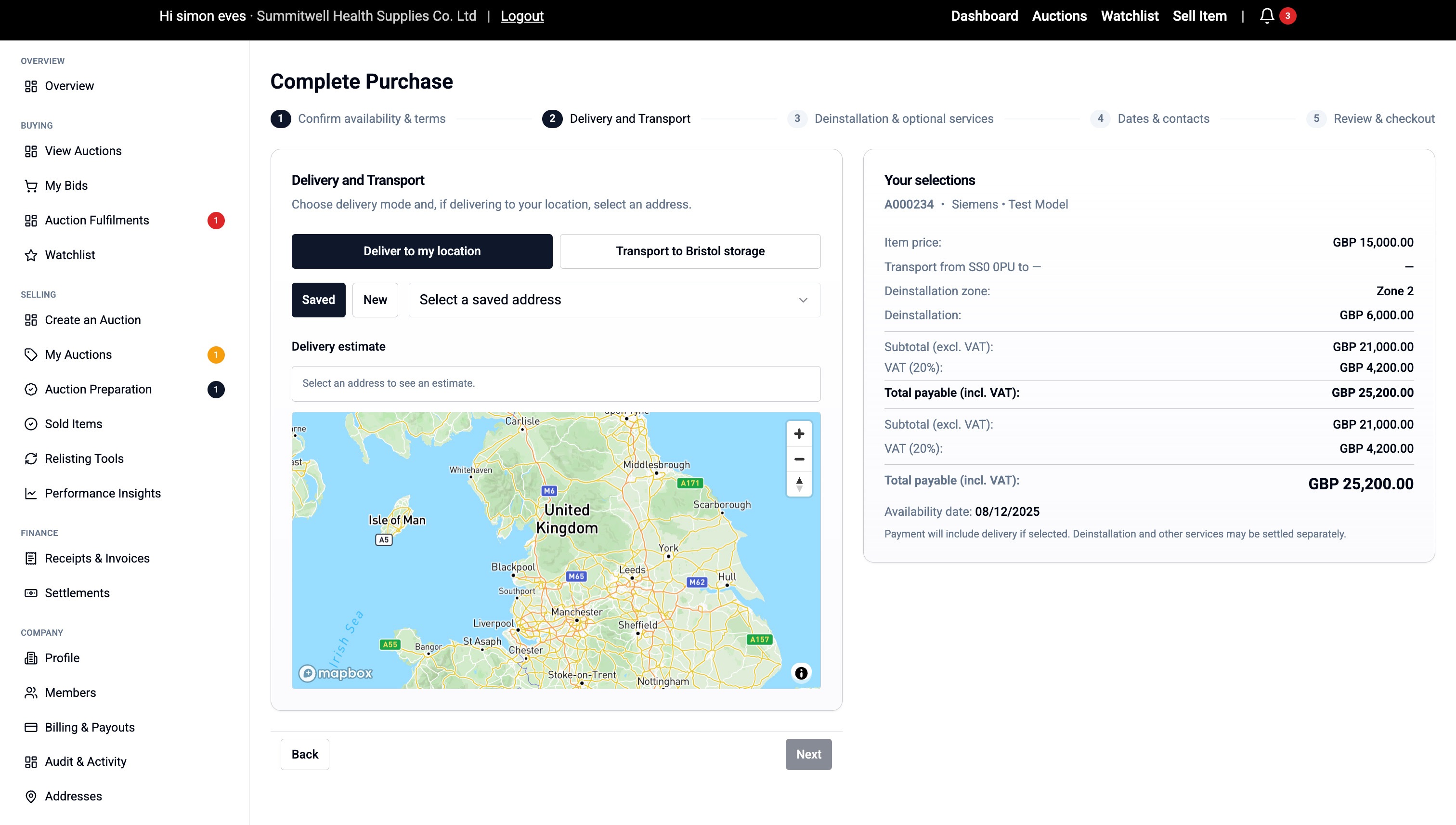
Select your option and click "Next".
Step 5: Deinstallation & Optional Services
Deinstallation (Included):
- Professional removal from current site
- Cost shown based on equipment zone
- Required for all purchases
Screenshot: Deinstallation section
Optional Add-Ons (if choosing Bristol storage):
Storage:
- Select duration (1-8 weeks or custom)
- Cost shown per week
Packing Services:
- Road freight packing - for UK transport
- Sea freight packing - for international shipping
- Protects equipment during long-distance moves
Loading Assistance:
- Help loading onto your transport
- Professional handling team
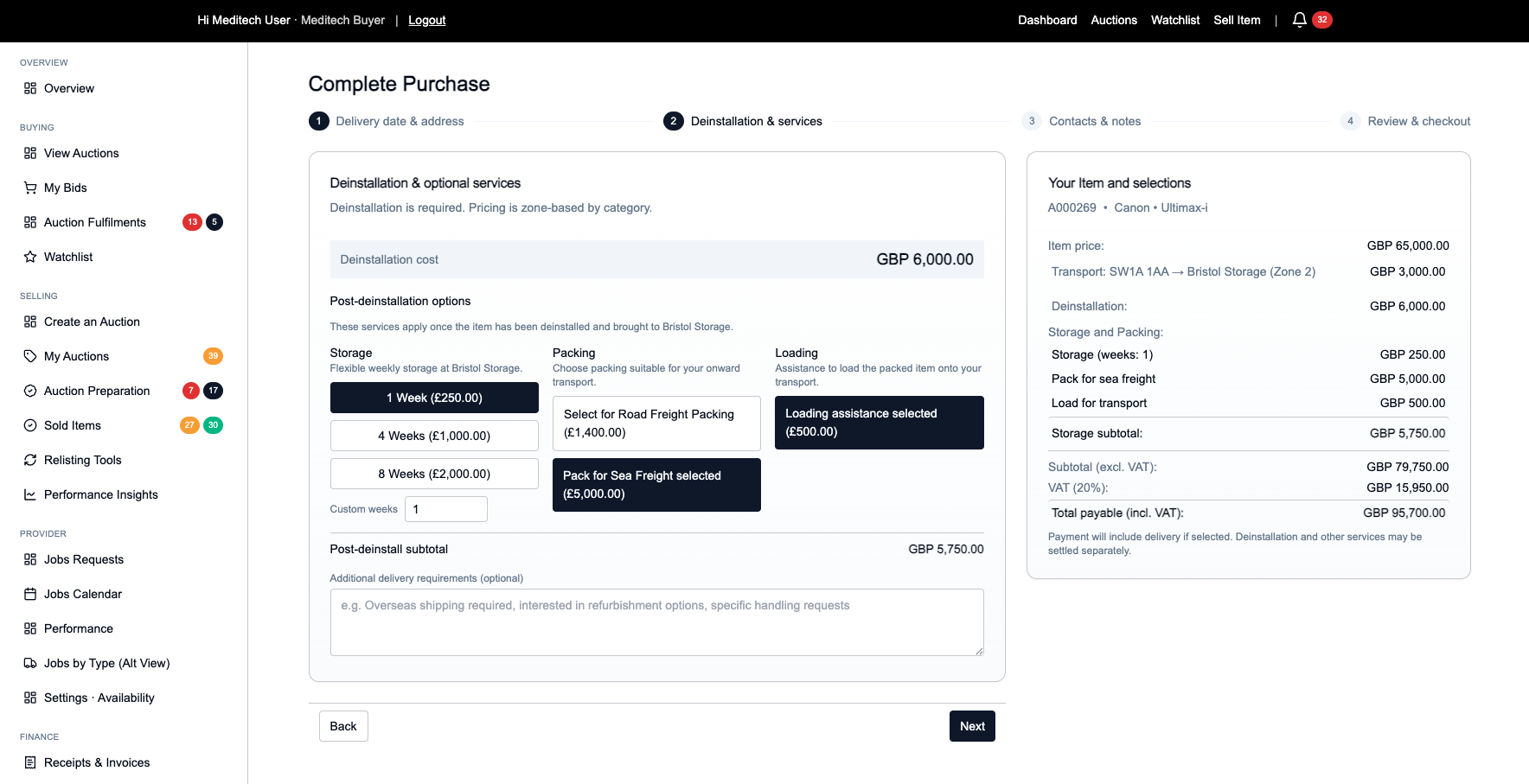
Your total updates automatically as you select options.
Click "Next".
Step 6: Add Dates & Contacts
Preferred Dates:
- Enter your preferred collection/delivery date
- Optionally add an alternative date
Onsite Contact:
- Your details are pre-filled
- Add an alternate contact if someone else will be present
Click "Next".
Step 7: Review & Checkout
Review everything:
- Item details
- Delivery/storage choice
- All services and costs
- Total amount payable
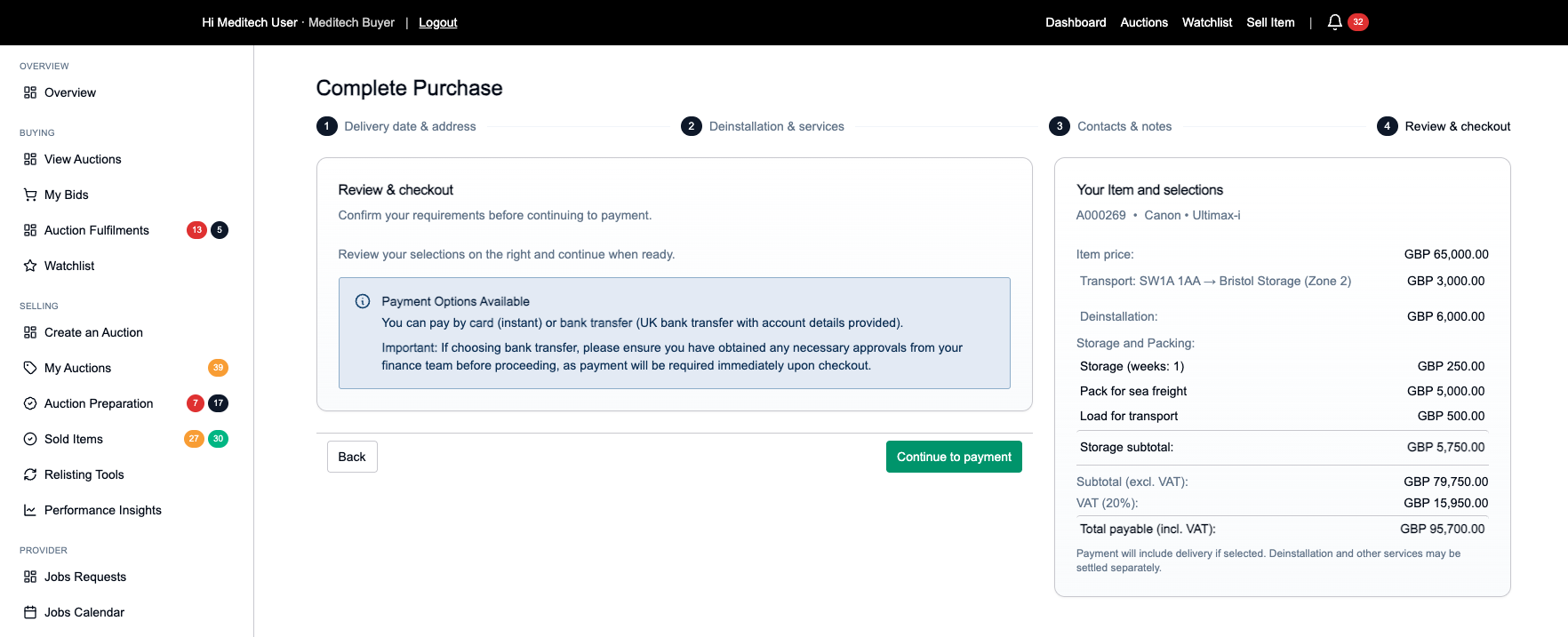
If everything looks correct, click "Continue to Payment".
Step 8: Pay via Stripe
You'll be taken to Stripe Checkout:
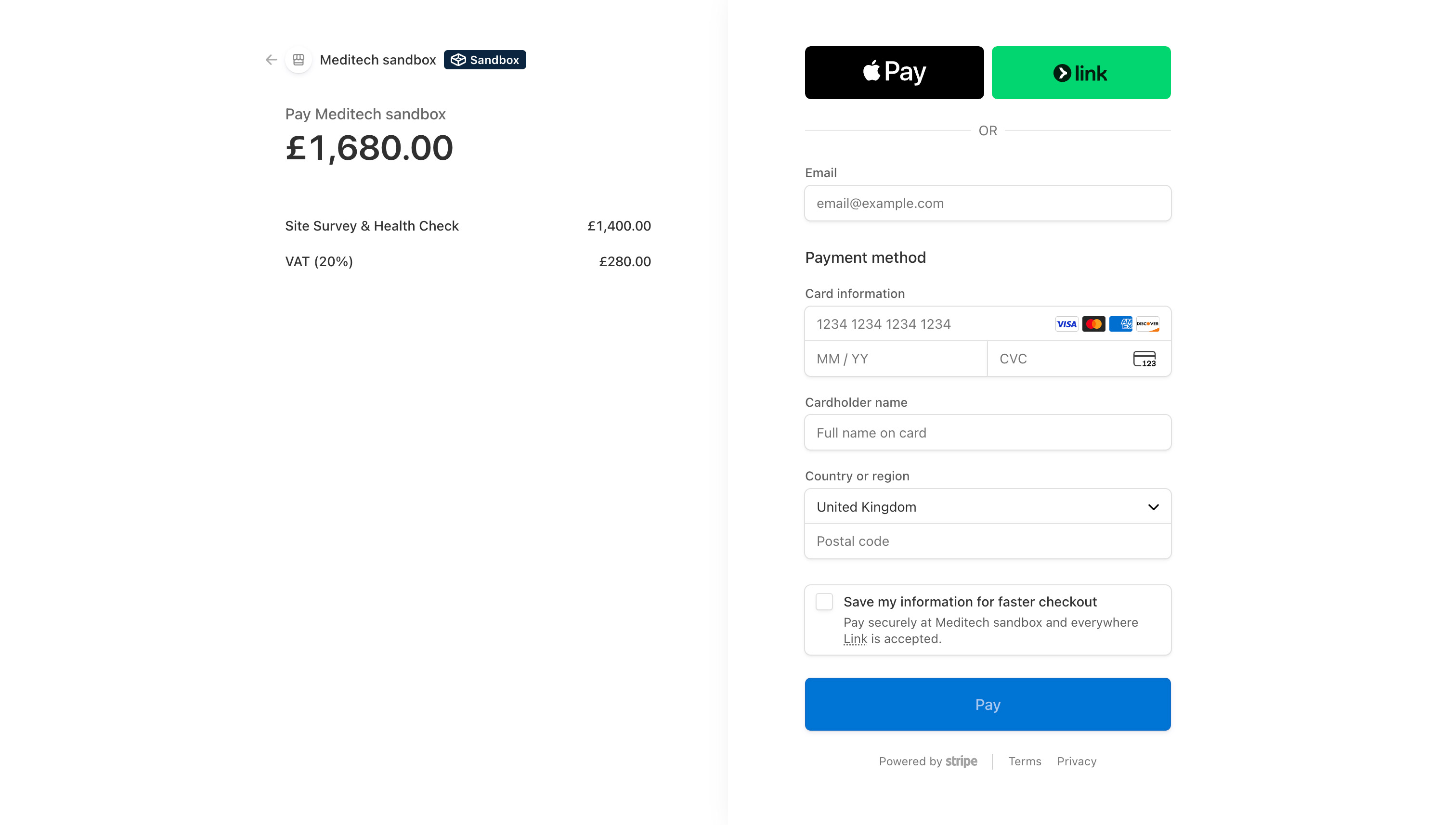
- Enter payment card details
- Complete 3D Secure verification if required
- Payment processed securely
After successful payment, you're returned to Meditech Auction.
Step 9: Payment Confirmation
You'll see:
- A Purchase Summary page confirming your transaction
- Payment status: Paid
- All service details and costs
- A confirmation email is also sent
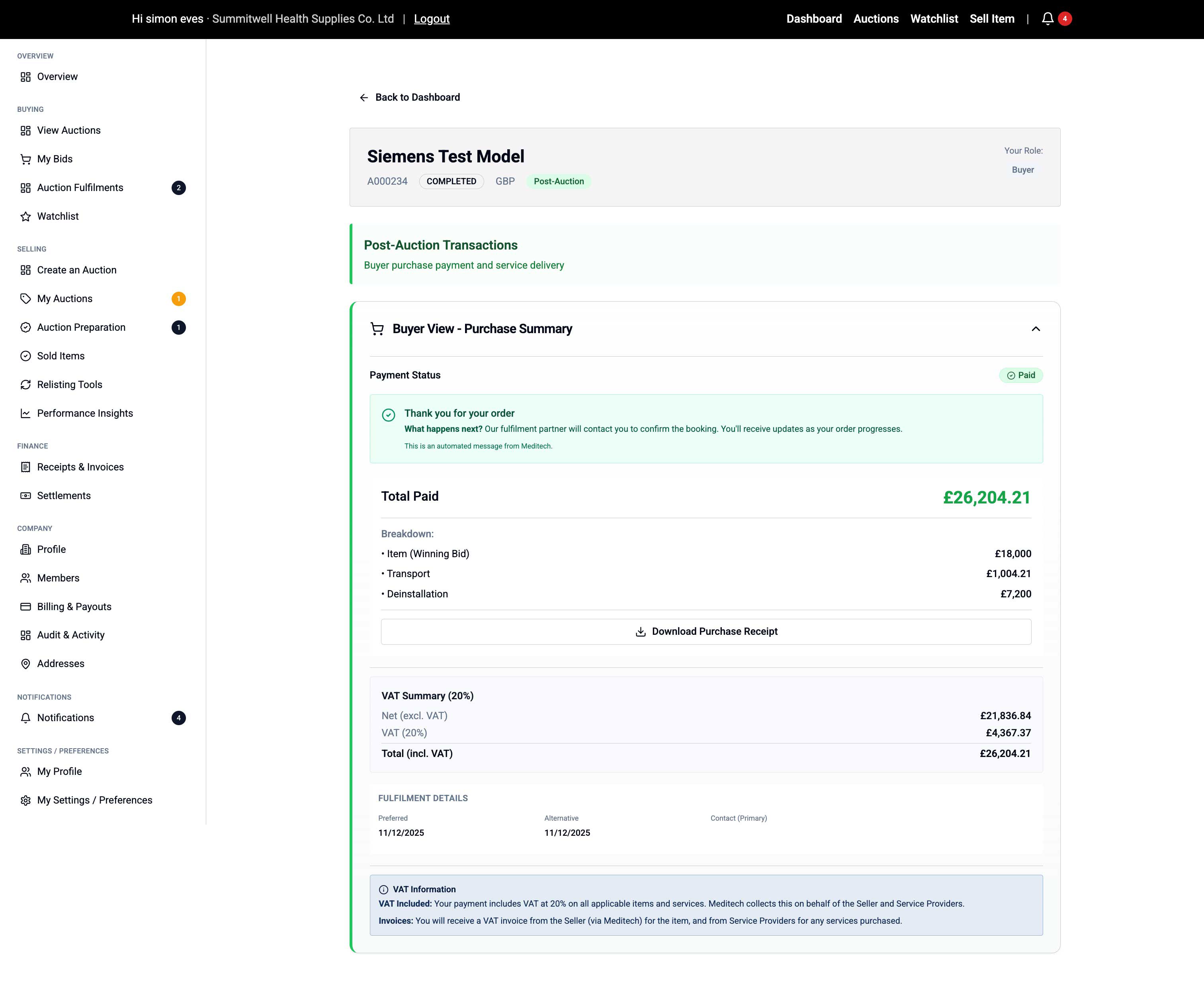
You can also view this anytime under Finance > Receipts & Invoices.
Step 10: Track Your Order
Your order now moves into fulfilment:
- Go to Buying > Auction Fulfilments anytime
- Status updates as your order progresses:
- Awaiting Payment (Complete)
- Awaiting Scheduling
- Scheduled
- In Progress
- Delivered / Collected
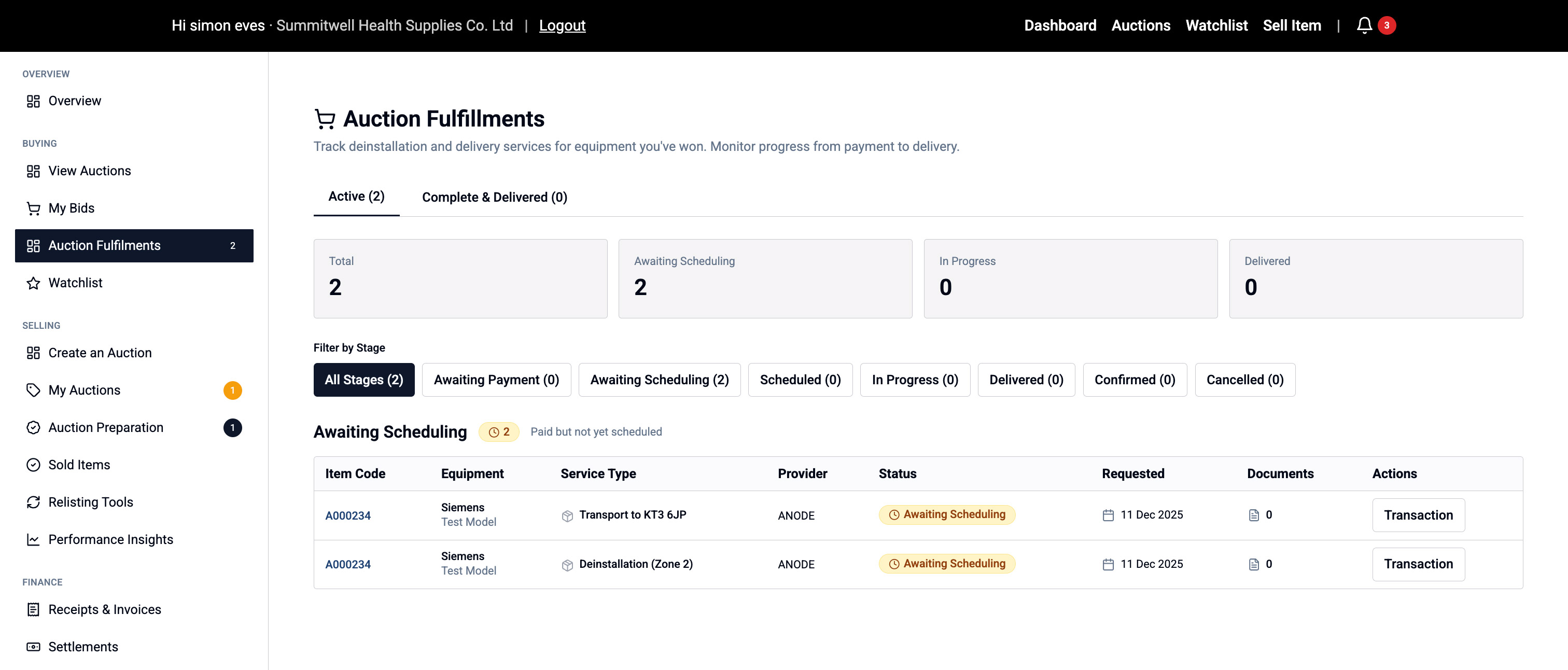
Updates:
- Fulfilment provider will contact you to confirm appointment
- You'll receive notifications via email and on-site
- Track progress in real-time
📦 Questions about delivery? Contact our fulfilment team via the details in your confirmation email.