
Manage Your Bids
Keep track of all your auction activity in one place. The My Bids page shows where you're winning, where you've been outbid, and which auctions are ending soon.
Accessing My Bids
Go to Buying > My Bids in the left menu
Screenshot: Left menu with My Bids highlighted
Understanding Bid Status
Your bids are organized into tabs:
Active:
- Auctions you're currently bidding on
- Shows if you're winning or have been outbid
- Still time remaining to bid
Outbid:
- Auctions where someone bid higher than you
- Autobid reached its maximum
- You can still place a new bid if auction is live
Ending Soon:
- Auctions closing within 24 hours
- Helps you prioritise which to monitor
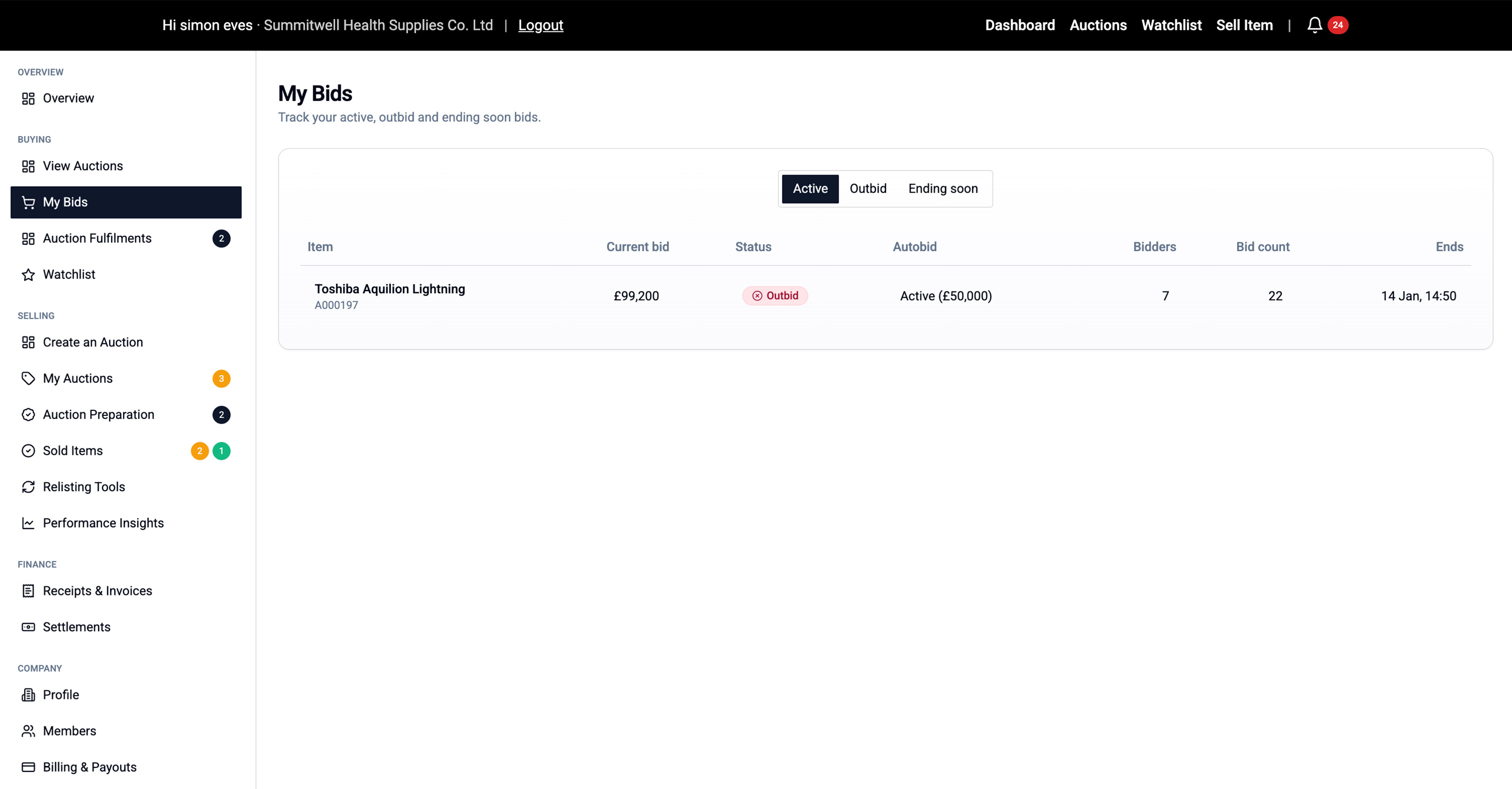
What Information is Shown
Each row displays:
- Item name/code (click to open full listing)
- Current bid
- Your status (Winning/Outbid)
- Autobid status (On/Off)
- Number of bidders
- Total bid count
- Auction end time
Taking Action
From the My Bids page you can:
- Click the item name to view the full listing
- Place a new bid if you've been outbid
- Adjust your autobid maximum
- Monitor end times for auctions you're winning
💡 Tip: Enable browser notifications in your Settings to get alerts when you're outbid.