
Receipts & Invoices
Access all your transaction documents in one place. Download receipts for purchases and invoices for services you've paid for.
Accessing Receipts & Invoices
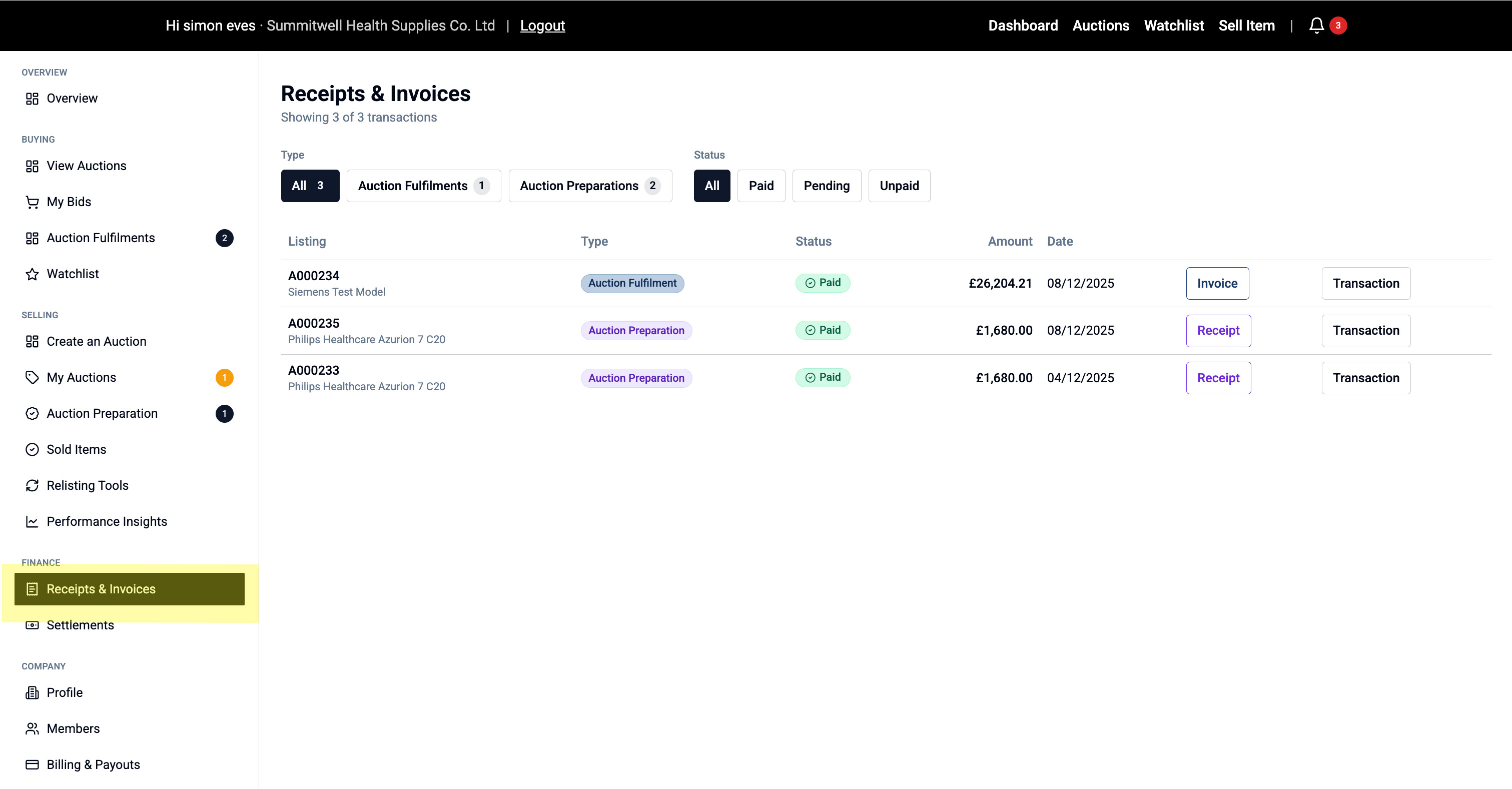
Go to Finance > Receipts & Invoices in the left menu
What's Shown
This page lists all your financial documents:
- Auction Fulfilment payments (when you buy)
- Auction Preparation payments (verification services)
- Any other platform fees
Each transaction shows:
- Type (Auction Fulfilment or Auction Preparation)
- Code (transaction reference)
- Status (Paid, Pending, Unpaid)
- Amount
- Date
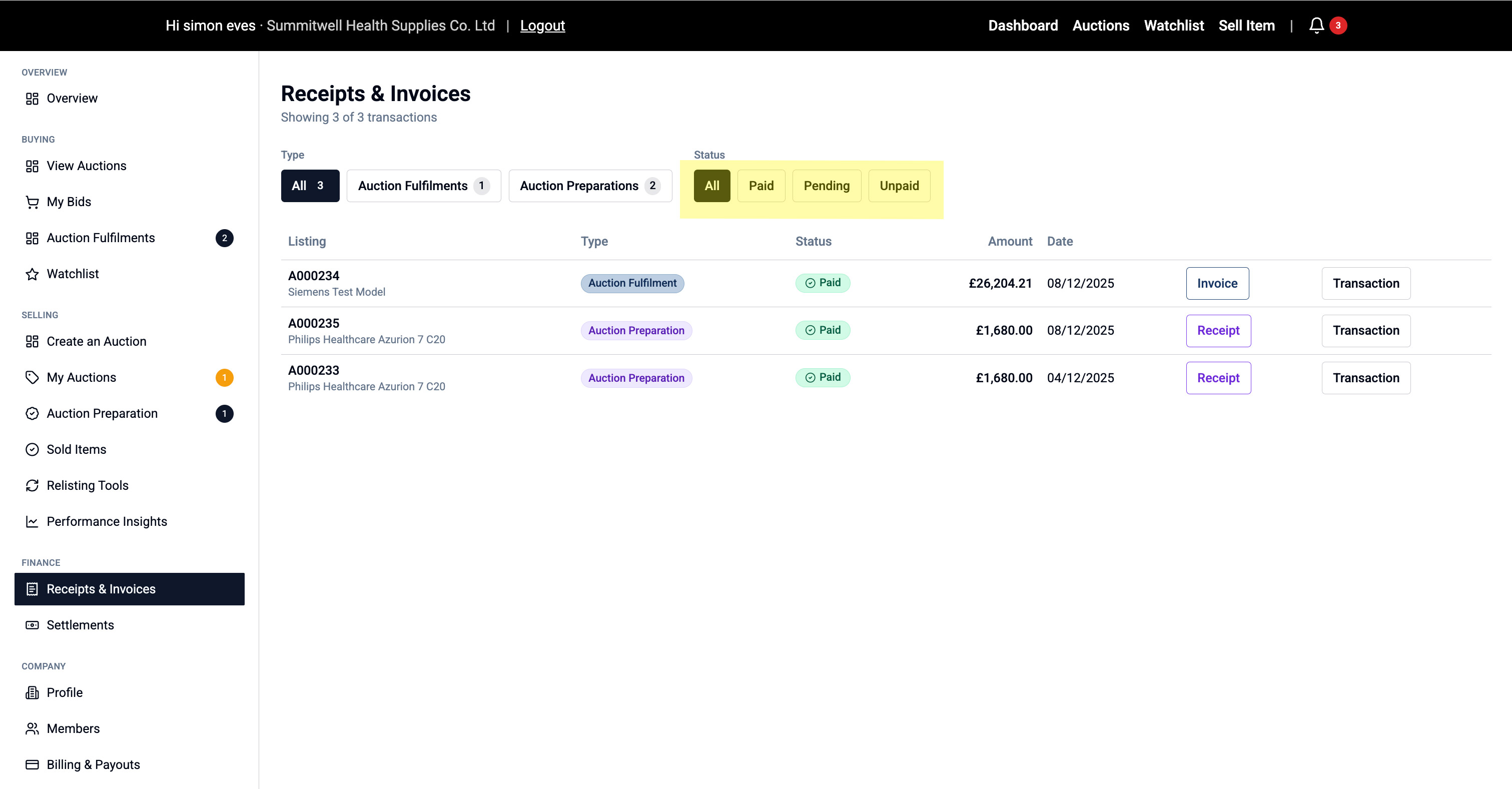
Using Filters
Quickly find what you need:
Filter by Type:
- All
- Auction Fulfilments
- Auction Preparations
Filter by Status:
- All
- Paid
- Pending
- Unpaid
Downloading Documents
For each transaction you can:
Download Receipt:
- Click "Receipt" to download your payment receipt
- Shows payment confirmation and breakdown
Download Invoice:
- Click "Invoice" to download the detailed invoice
- Includes VAT breakdown and company details
- Use for your accounting records
View Transaction:
- Click "Transaction" to see full transaction summary
- Detailed breakdown of all charges
- Useful for queries or disputes
💡 Tip: Keep receipts for your records - you may need them for warranty claims or resale.