
After You Win an Auction
Congratulations on winning! Here's how to complete your purchase, arrange delivery, and track your order.
Step 1: You've Won - What's Next?
When you win an auction, you'll receive:
- A notification in the site header (bell icon)
- A confirmation email
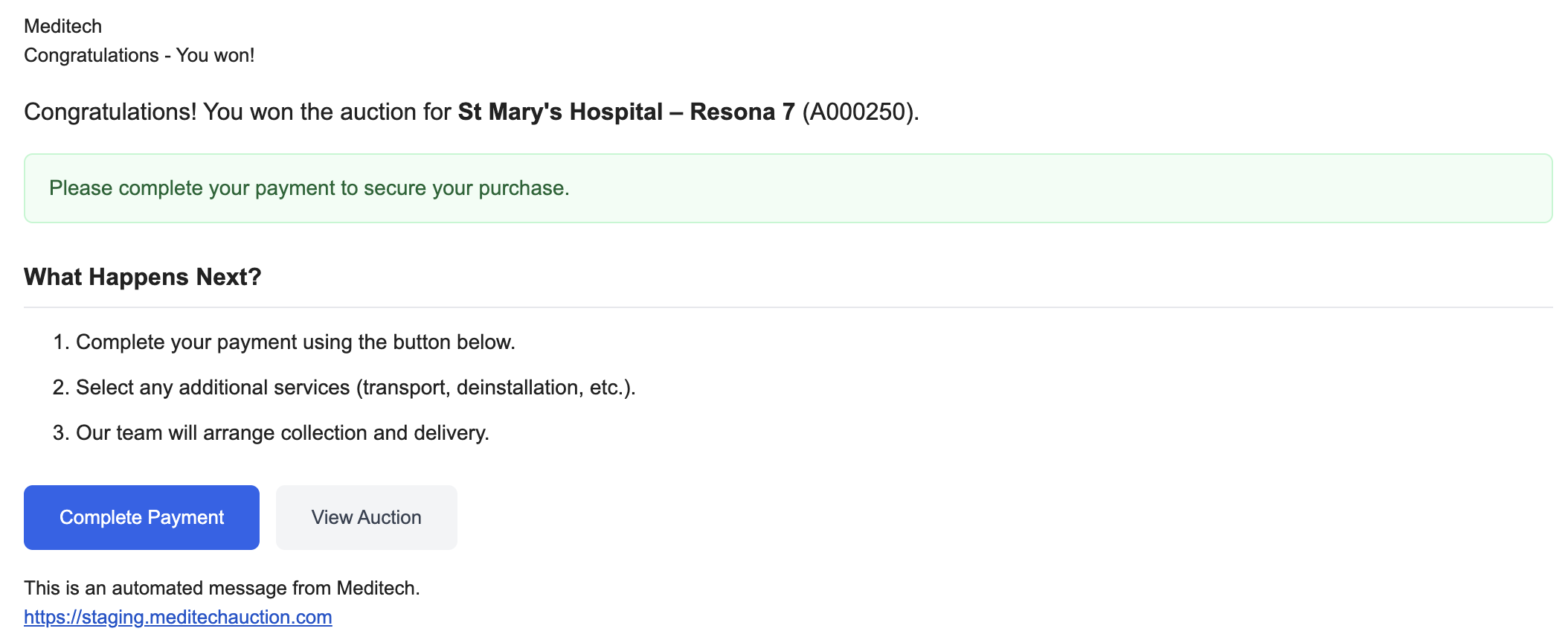
Click the notification or email link to go to Auction Fulfilments.
Step 2: Go to Auction Fulfilments
- In the left menu, click Buying > Auction Fulfilments
- Your won item appears under "Awaiting Payment"
- Find the item and click "Pay Now" in the Actions column
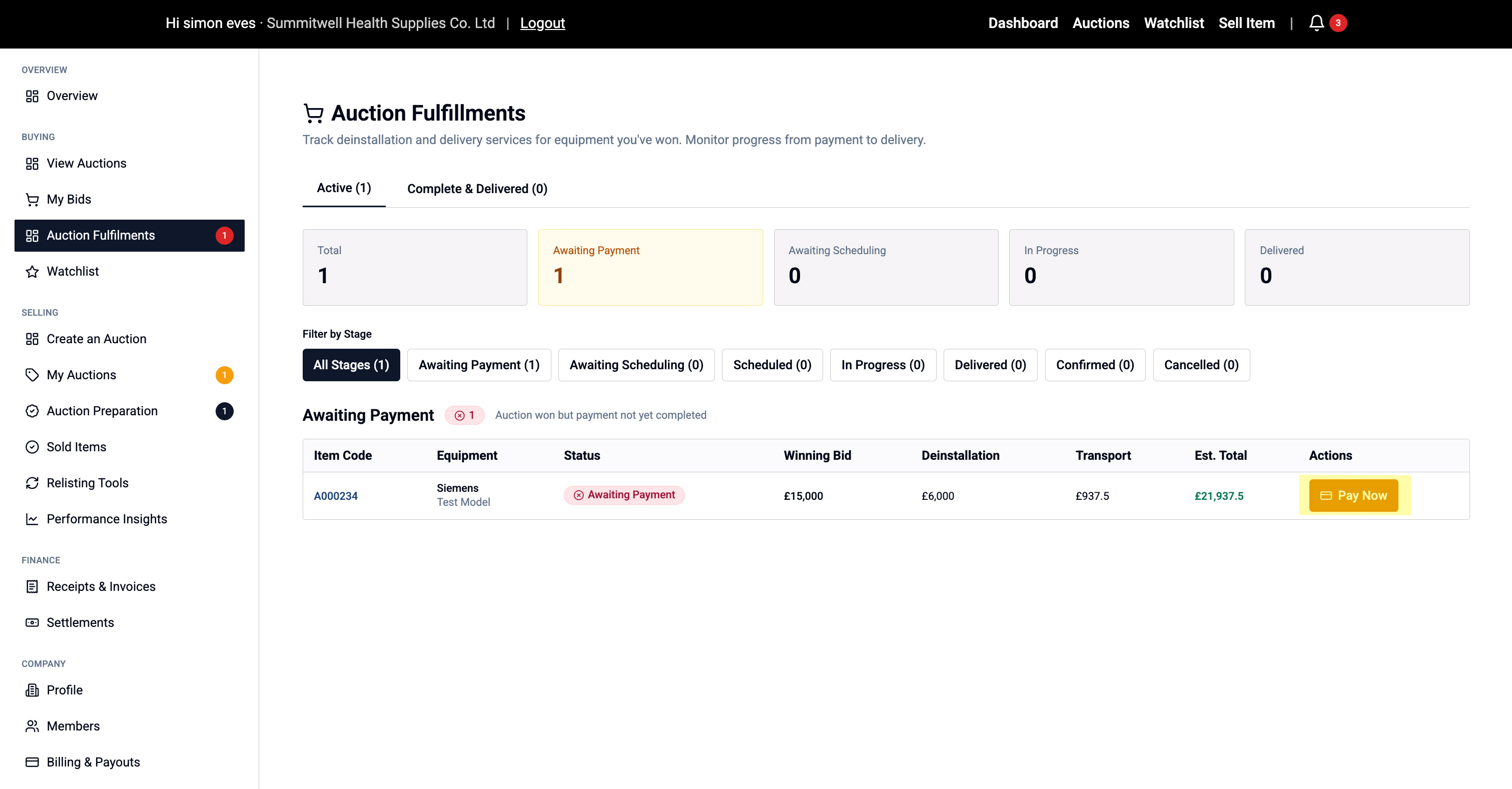
This opens the Complete Purchase checkout flow.
Step 3: Confirm Availability & Terms
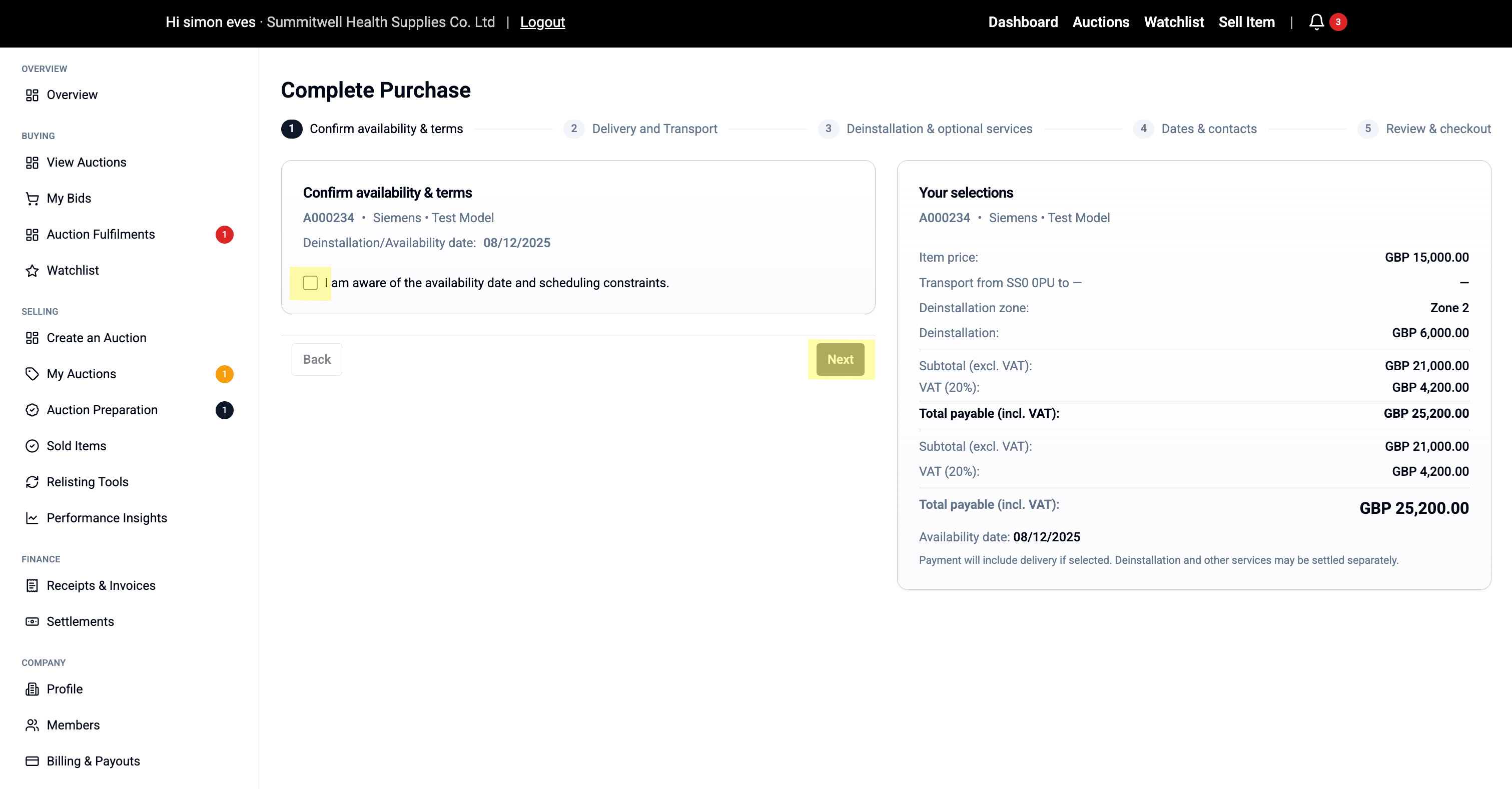
First screen confirms:
- Equipment availability date
- When you can schedule deinstallation/collection
- Any scheduling constraints
Tick the checkbox to confirm you understand
Click "Next" to continue.
Step 4: Choose Delivery or Storage
You have two options:
Option A: Deliver to My Location
- Equipment delivered directly to your address
- Select a saved delivery address or add a new one
- Delivery cost calculated based on distance and equipment
Option B: Transport to Bristol Storage
- Equipment moved to secure storage facility
- Choose storage duration: 1, 4, or 8 weeks (or custom)
- Additional storage fees apply
- Gives you time to arrange final transport
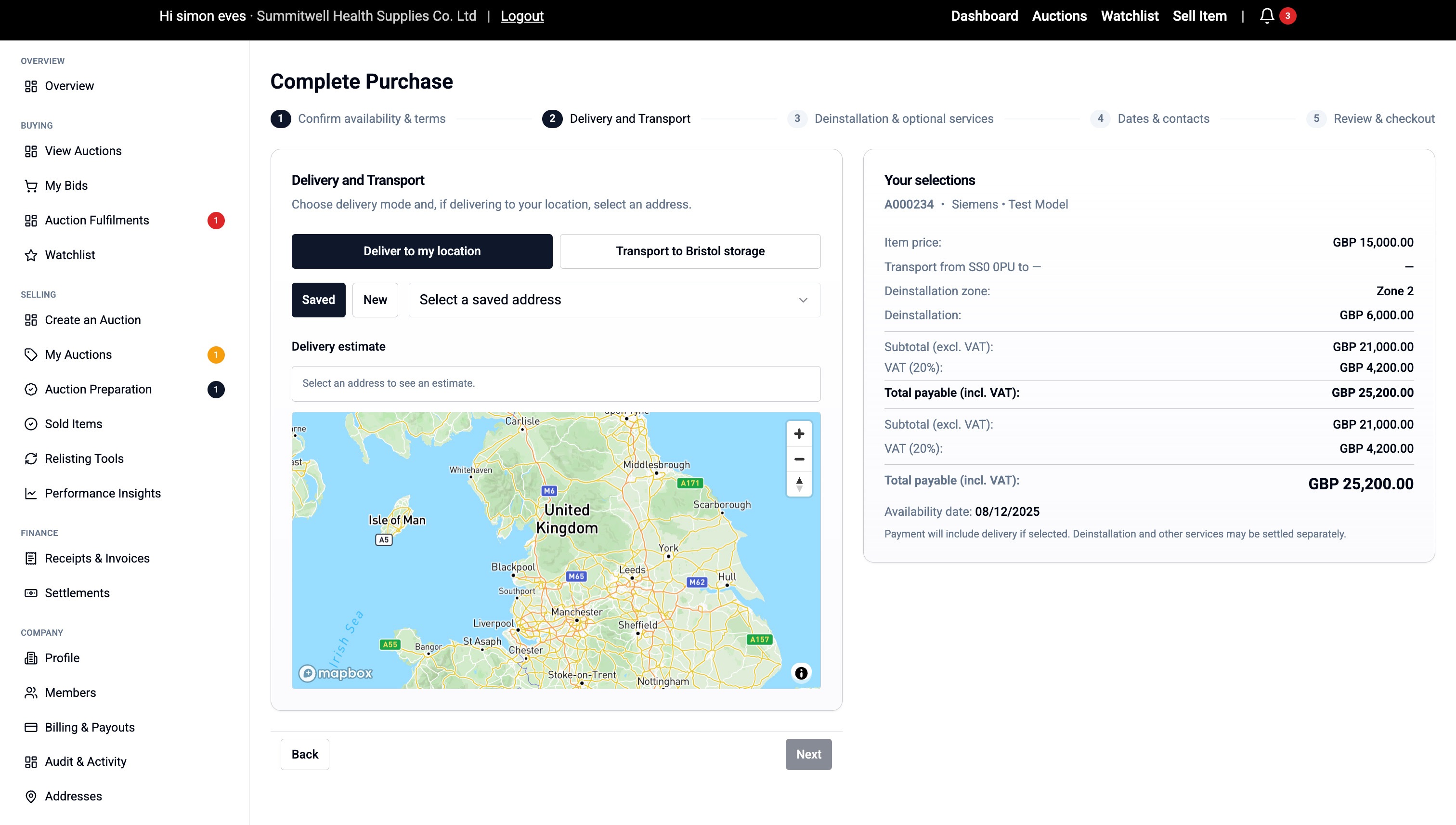
Select your option and click "Next".
Step 5: Deinstallation & Optional Services
Deinstallation (Included):
- Professional removal from current site
- Cost shown based on equipment zone
- Required for all purchases
Screenshot: Deinstallation section
Optional Add-Ons (if choosing Bristol storage):
Storage:
- Select duration (1-8 weeks or custom)
- Cost shown per week
Packing Services:
- Road freight packing - for UK transport
- Sea freight packing - for international shipping
- Protects equipment during long-distance moves
Loading Assistance:
- Help loading onto your transport
- Professional handling team
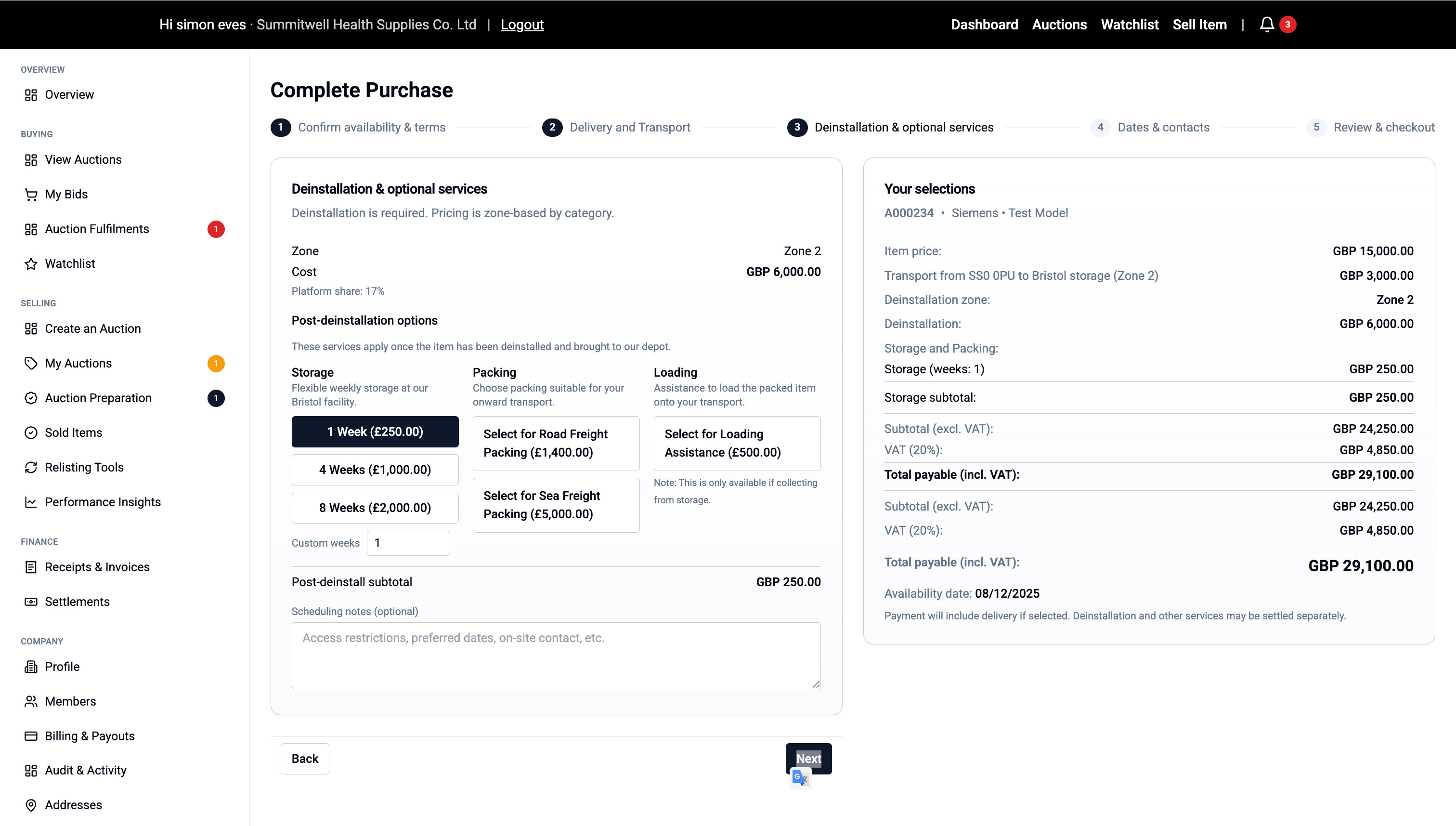
Your total updates automatically as you select options.
Click "Next".
Step 6: Add Dates & Contacts
Preferred Dates:
- Enter your preferred collection/delivery date
- Optionally add an alternative date
Onsite Contact:
- Your details are pre-filled
- Add an alternate contact if someone else will be present
Click "Next".
Step 7: Review & Checkout
Review everything:
- Item details
- Delivery/storage choice
- All services and costs
- Total amount payable
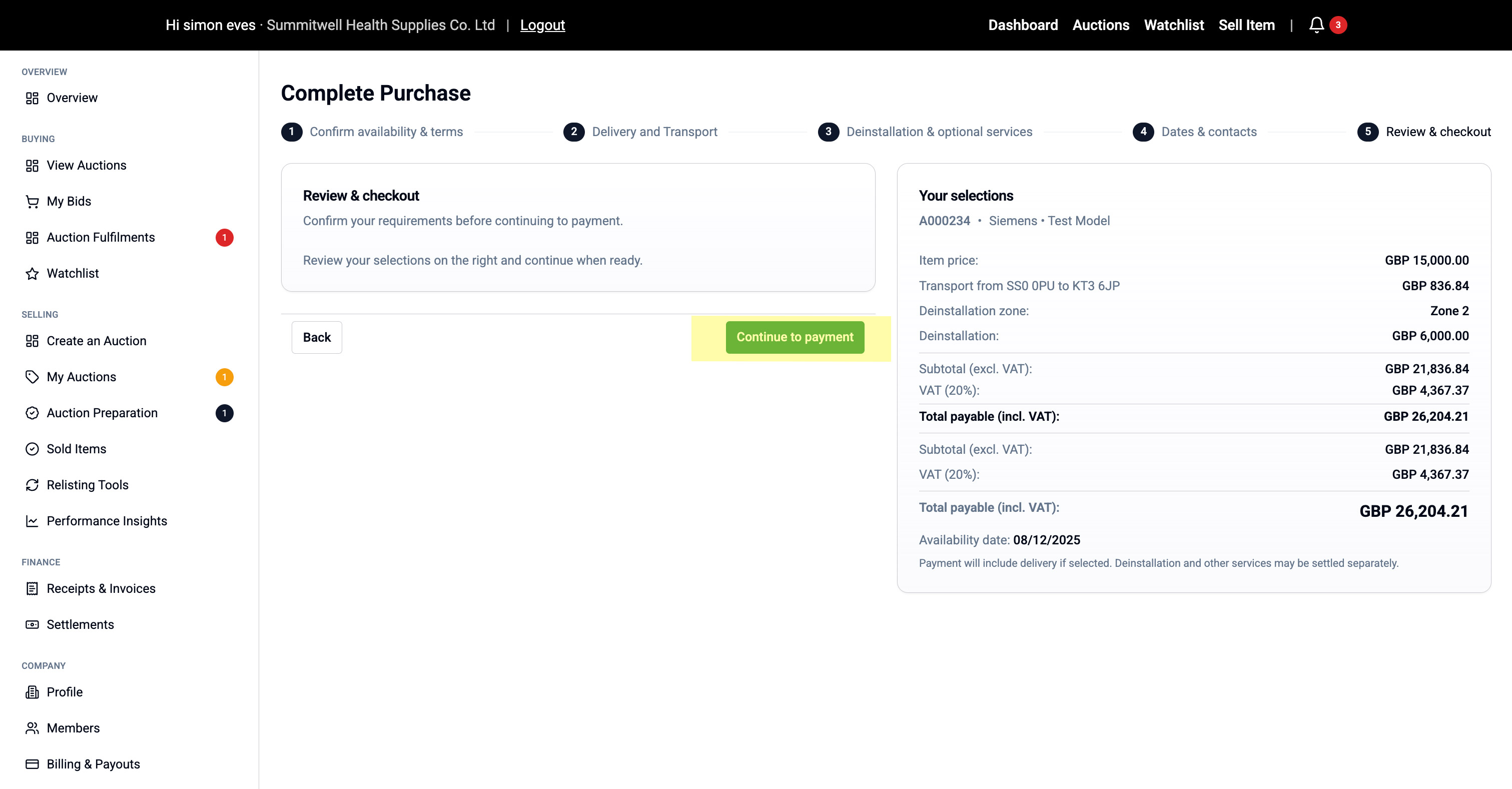
If everything looks correct, click "Continue to Payment".
Step 8: Pay via Stripe
You'll be taken to Stripe Checkout:
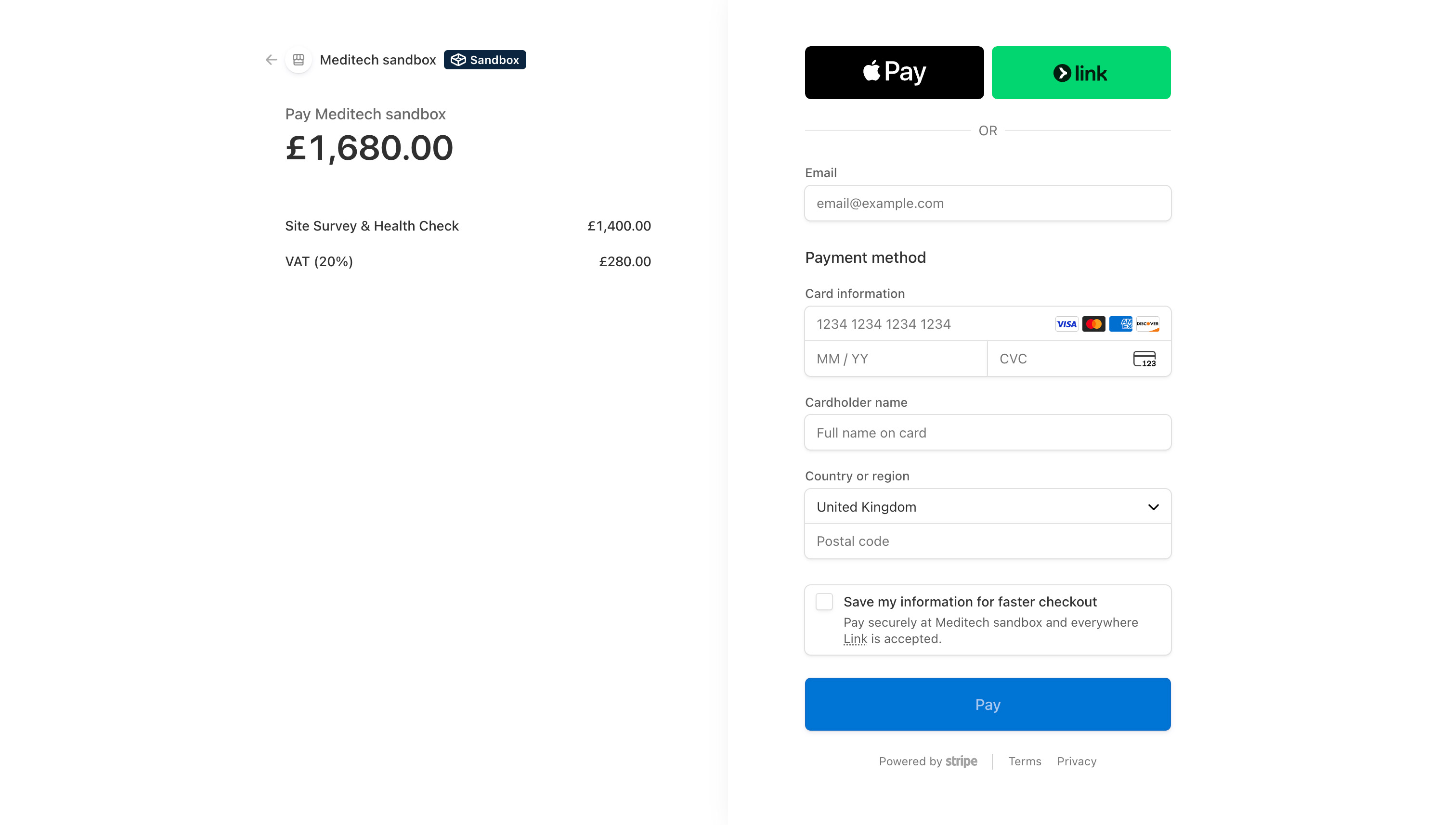
- Enter payment card details
- Complete 3D Secure verification if required
- Payment processed securely
After successful payment, you're returned to Meditech Auction.
Step 9: Payment Confirmation
You'll see:
- A Purchase Summary page confirming your transaction
- Payment status: Paid
- All service details and costs
- A confirmation email is also sent
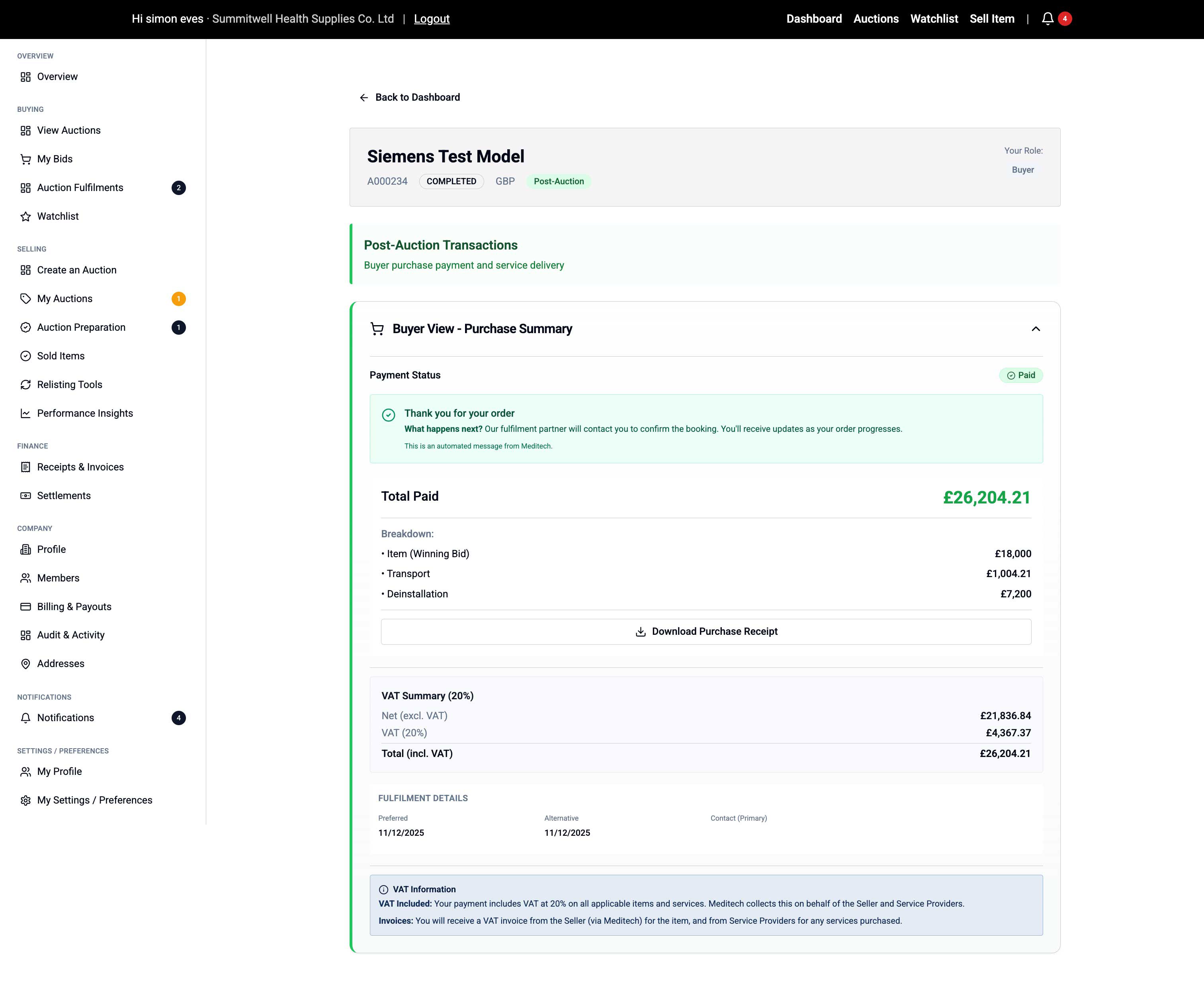
You can also view this anytime under Finance > Receipts & Invoices.
Step 10: Track Your Order
Your order now moves into fulfilment:
- Go to Buying > Auction Fulfilments anytime
- Status updates as your order progresses:
- Awaiting Payment (Complete)
- Awaiting Scheduling
- Scheduled
- In Progress
- Delivered / Collected
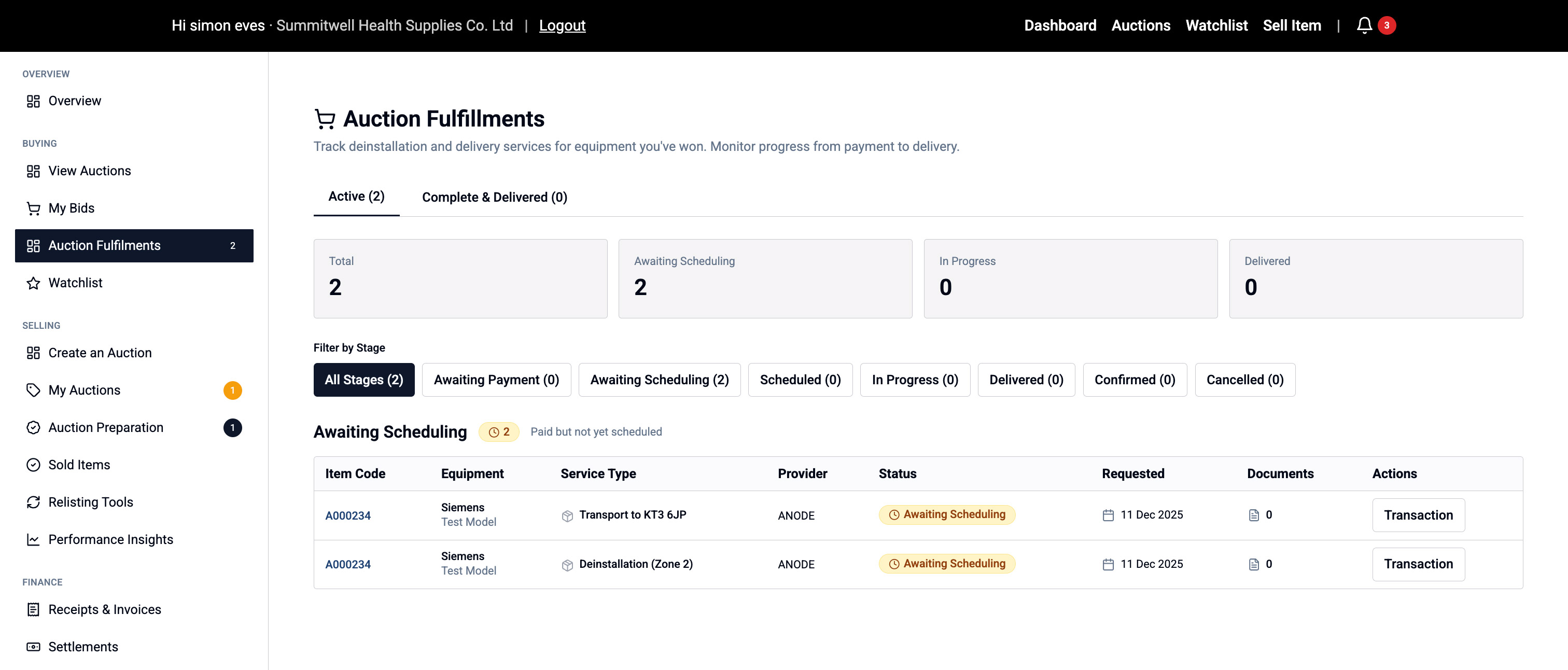
Updates:
- Fulfilment provider will contact you to confirm appointment
- You'll receive notifications via email and on-site
- Track progress in real-time
📦 Questions about delivery? Contact our fulfilment team via the details in your confirmation email.