
Create an Account
Getting started with Meditech Auction is quick and easy. Follow these steps to create your account and verify your email address.
Step 1: Sign Up
- Go to staging.meditechauction.com
- Click "Login / Register" in the top-right corner
- A modal login window will open. Select "Create Account" in the green box
- Fill in your email, password, and full name
- Check the box to agree to Terms of Service and Privacy Policy
- Click "Create Account"
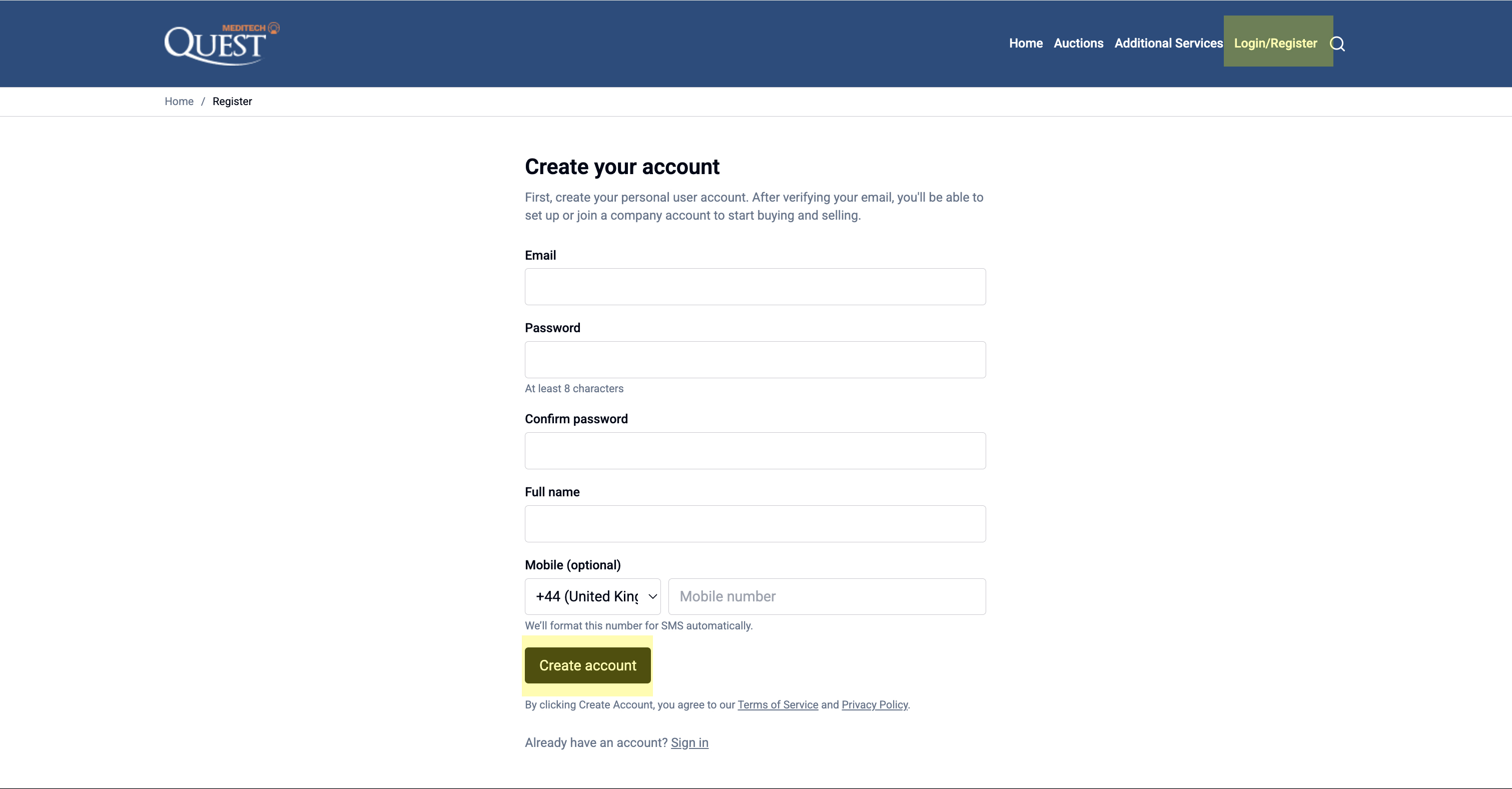
💡 Tip: Use a strong password with at least 8 characters, including numbers and symbols.
Step 2: Verify Your Email
- Check your email inbox for a verification message from Meditech Auction
- Click the "Verify Email" button in the email
- You'll be taken back to the site and can now log in
- Once logged in, you'll see your Dashboard
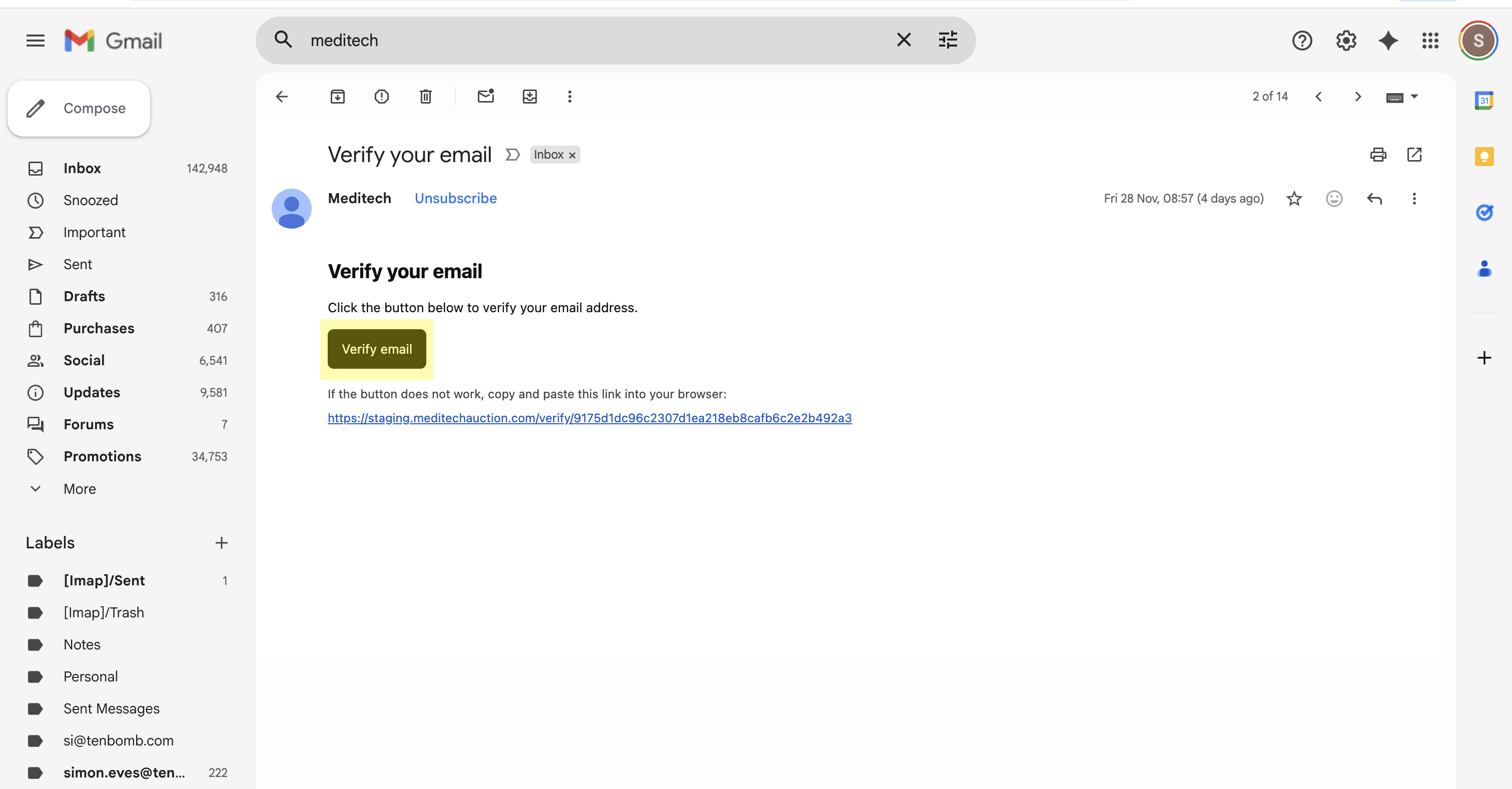
⚠️ Can't find the email? Check your Spam/Junk folder or search for "Meditech Auction"
Next Steps Box: What's Next? Now that your account is created, you'll need to set up your company profile to start buying and selling.